
My favourite note-taking tools
And my philosophy on technology use

Obligatory note: this is not a sponsored post and I have no relationship with these companies. I just really like these tools and want to share them with you.
In my last post, I shared with you a list of my favourite tools that I use as a soloproneur. In this post, I continue this story with my favourite note-taking tools. I have a bit of a philosophy around this, so I wanted to touch on that first. It’s more of a general philosophy around how I incorporate technology into my life, but it also informs how I approach note-taking tools.
My approach to technology use
This started some years ago, when I noticed I was having a problem with my phone and iPad usage. Every time I went on there to do something useful, I would get distracted with useless things (curiously, I don’t have this problem on my computer).
There seemed to be two critical points where you could short the circuit: (1) before you succumbed to the distractions, but after you got on your phone (e.g. get rid off notification badges, use app-specific lock settings, etc), or (2) before you got on your phone in the first place. For many reasons which would fill a whole other article, I preferred the latter.
I wanted to lead the kind of life where I could put my phone away for the day and forget about it. But to do that, I had to reverse the trend that my phone was replacing all of the other useful tools in my life. It had become my alarm clock, my timer, my recipe book, my guitar tuner, my camera, my credit card, my GPS, my music player, my transit pass, etc.
So I slowly started undoing all that. I got one of those old vintage digital alarm clocks for my bedside table, so I don’t have my phone in the room when I sleep (and therefore don’t look at it first thing when I wake up!). I got a manual egg timer to use for pomodoro. I got one of those old portable FM radio CD players in my office when I want to listed to background music. I pulled out my old recipe books. I got a battery for my old guitar tuner. I got a big city map that I taped to the wall, that I try to check before I drive somewhere unfamiliar, so I don’t have to use my phone to navigate. I subscribed to print versions of a couple of my favourite publications, and now mostly read those instead of the online versions, and doubled down on reading more physical books (which feels better for my eyes too!). I even pulled out my old digicam and took that on a trip to use instead of my phone camera once (unfortunately, the photos weren’t as great, so I didn’t do that again!). And other various things like that.
Don’t get me wrong. I’m not a puritan about this by any means. I don’t print my boarding passes! I’m still a heavy user of technology, especially for my work. And I often leave the house without my wallet and just take my phone. But on days when I want to get away from my mobile devices, it makes it super easy to just tuck them away in a nook in the house and forget about them. Sometimes on weekends, I do “analogue weekend” where I just don’t use any of my devices at all, and since I already have this separation, it doesn’t mess with my day-to-day life too much. This has been SO GOOD for my mental health. And in general, just having aspects of my life when I don’t have a screen in my face all the time feels really good to me.
So I had developed this resistance to the idea that one device, or one app, had to do everything for me. I recalled this when I was getting frustrated that I couldn’t find the perfect note-taking app. I eventually realized that I didn’t need one, and that using different apps for different things could have its benefits too.
So with that very long preamble, here are some of my favourite note-taking apps.
Typora
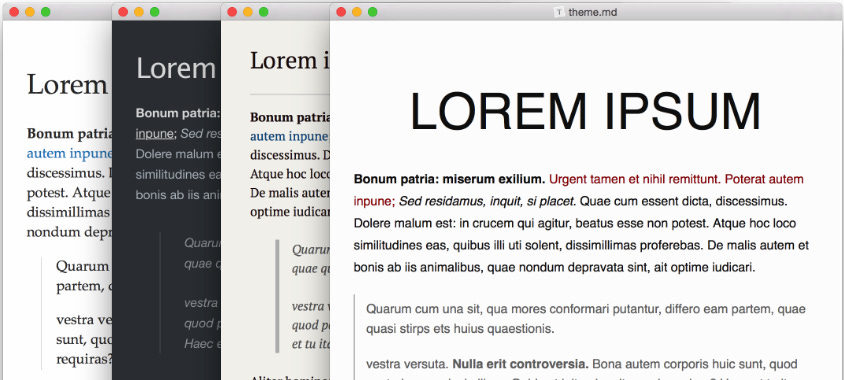
Typora is a markdown editor. Markdown is my preferred format for written documents. It’s sleek and quicker to format than, say, Word or Google Docs. I also have a strong preference for keeping things stored on my computer rather than locked within specific apps, especially for digital “filing cabinet” style documents and resources related to projects.
This includes meeting notes, project notes, documentation, book and presentation summaries, strategic plans, etc. Basically, if it’s something I want to keep nicely formatted and come back to later, I want it as a markdown file on my computer.
There are many markdown editors out there, but Typora has three features that were critical for me, that I didn’t find in other markdown apps:
It works directly with files stored on the computer, rather than locking them inside the app
It instantly renders the markdown formatting as you type
It lets you open individual, stand-alone files
Obsidian, another app I love, does the first two, but its “vault” system makes it awkward if you want to just open any file on your computer. I won’t add Obsidian to my list here, because I don’t use it anymore. But I had a fantastic time with it when I was going through my Zettelkasten phase.
There is one unsolved problem with storing markdown files on my computer, which is opening them on mobile devices. This isn’t really a Typora problem, but rather a Google Drive problem. I keep all my project and “filing cabinet” files backed up on Google Drive. But Google Drive doesn’t support opening markdown files. I think there are some mobile apps that let you open markdown files from Google Drive, but I haven’t looked into it too deeply. It’s actually not that often that I need to open one of those files on a mobile device anyway.
Except when I’m writing later-stage drafts for Substack. Which brings me to.
Bear
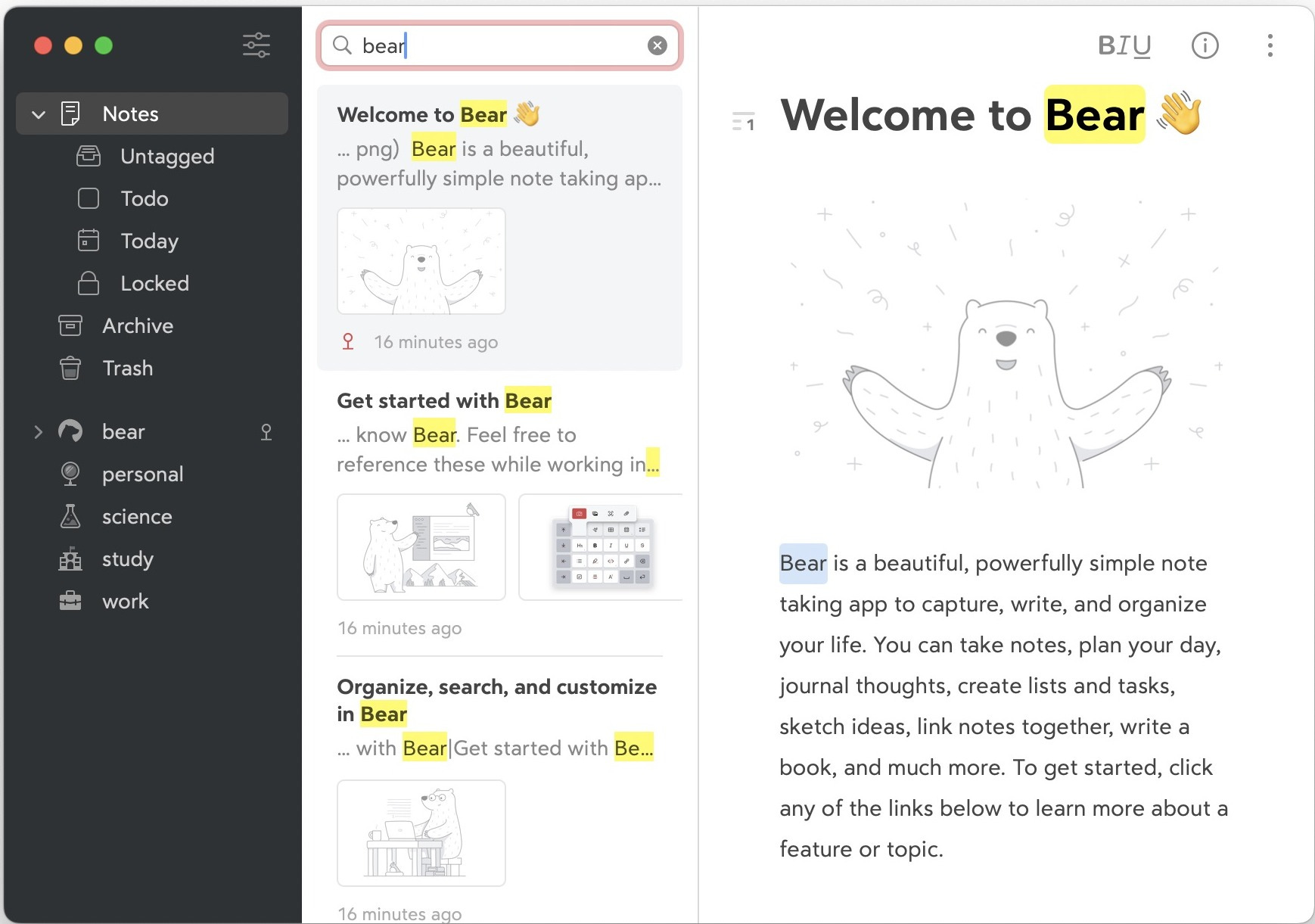
Bear is another markdown editor. It’s different from Typora in that it stores markdown files within the app. This makes syncing across devices easy. It instantly renders the markdown formatting as you type. It is clean and beautiful. I really love it. I use it exclusively to write my later-stage drafts for Substack.
You might be wondering why I don’t just write my drafts using the drafts feature on the Substack interface. There are two reasons.
The first is that every time I open the Substack app, I am presented with the notes feed. For whatever reason, that algorithm has figured me out like no other. I instantly want to read everything that is there and I’m again in danger of getting distracted.
The second is that although I do most of my drafting on my computer, I do like to sometimes work on my drafts on my iPad. Substack only recently made it possible to start drafts on the Substack mobile app. But for a reason that is beyond me, they still haven’t made it possible to sync drafts between the browser and the app.
Bear has been great for that. I keep multiple drafts on the go within Bear. I use it exclusively for my Substack drafts, both for Aggie Inc. and for the Quantum Salon Substack. I find that having only Substack drafts in the one app makes it really clean and easy to work from. Another benefit is that I can easily link to individual drafts, and I can add those links to my content calendar for planing purposes.
Notes
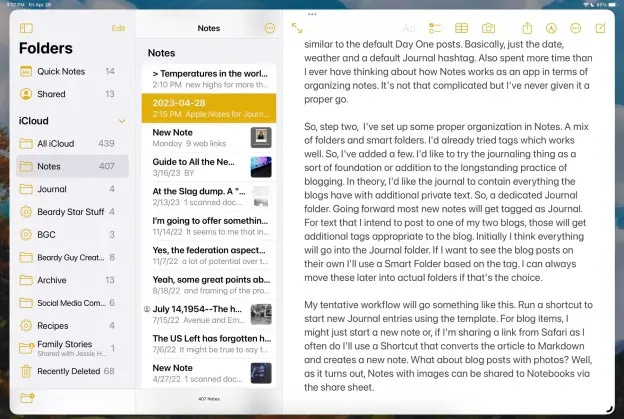
This is the native Notes app that comes with Apple devices. It has two features going for it. It syncs across devices, and, for reasons I can’t explain, it’s so much easier for me to open than other note-taking apps. Maybe it’s a fast load time, or that by default, it’s prominently located, or maybe Apple did some weird UX voodoo. I don’t know. But it’s always the app I reach for when I need to jot something down. Because of this, for the longest time, I tried to make Apple Notes my notes app that does everything, including storing project notes, and things like recipes, etc.
The problem is that it’s so ugly. And it’s a pain to format or organize anything. And of course, it keeps all the files stored in the app. I had a terrible time using it this way. So then I tried to wean myself off the Notes app, but found that other notes apps were not as user-friendly as Notes for a few specific tasks (because of the mysterious “easy to open” phenomenon).
When I decided to distribute my tasks across different apps, I exported all the notes to markdown. Those that were “filing cabinet” and project notes went to the relevant folders. Recipes all got imported to the Recipe Keeper app. Only a few things stayed in the Notes app.
I now use the Notes app almost exclusively as a scratch pad. I don’t bother organizing anything in the app. I occasionally delete something if I come across it and don’t need it, but usually the random notes pile up and I hardly ever need to go back there. It’s always the last 5 or so notes that are relevant at any given time, and usually I process whatever is in them shortly after I make the notes.
So I use it for things like if I’m out and someone says things I want to remember until I get home, or I’m in a presentation and want to jot down a few interesting things to follow up on. Or I want to quickly move some text between my devices. Or I use it if I’m travelling and need to have a few things easily accessible. I know I can store them in other places on the phone, but it always takes me ages to find. With Notes it’s always there. So, basically, anything ephemeral, that I will want to easily access to in the next couple of days, but won’t need after that.
I also use it when I’m out and about and inspiration strikes and I have to start writing a draft right now. I just instinctively open the Notes app. My writing always starts as a stream of consciousness, I don’t worry about formatting or clarity or anything at the start, I just download my thoughts onto the page. Later, when I am back at my computer, I would move the draft into Bear and start actually turning it into something that someone would want to read.
The other thing I use Notes for is my checklists. I live by checklists. I have a “Monday morning review” checklist, a “going to work” checklist, a “packing for travel” checklist, a “book keeping checklist”, a “before travelling to a new city” checklist, a “road trip” checklist. I’m a complete scatter brain, and I can’t for the life of me remember anything. But the checklists help me function effectively and without anxiety. I keep the checklists as pinned notes, so they are right there when I open the app.
I guess I need to mention Notion at some stage, so why not here. I know people swear by Notion, but after giving it three solid tries, I still didn’t fall in love with it.
Goodnotes
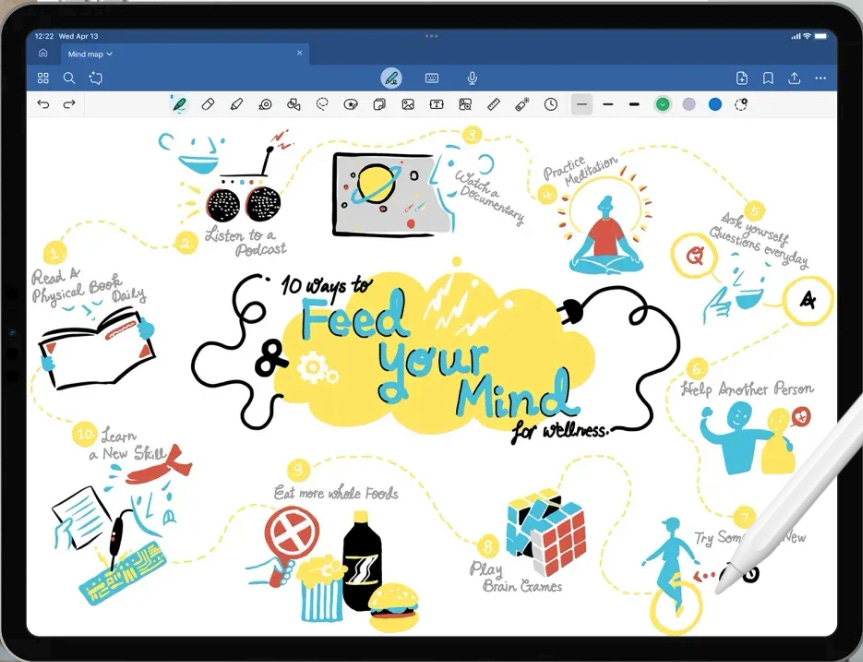
Goodnotes is a handwriting and drawing app. It’s really amazing. It’s beautiful and feature-full and user friendly and syncs across devices. I use it mainly for brainstorming and problem solving. There’s just a different part of your brain that lights up when you have a blank page and the freedom to mark it up how you like.
I mentioned this before, but I have aphantasia which means I am unable to visualize things in my minds eye. So a lot of my workflows revolve around externalizing my thinking. Goodnotes is great for that.
I’m actually surprised that I don’t have so much to say about it, like I did about the Notes app! I just think it’s great and highly recommend it.
I also use it as a PDF reader on my devices. It’s great for marking up the PDF if you’re reading it and want add your own notes.
Physical whiteboard


I remember when I was a postdoc at the University of Toronto. I was on a grant that spanned physics and chemistry, and at the end of my first two years, I moved from the physics department to the chemistry department. I moved into an office with a group of other postdocs and students. It was the first time I was in an office that didn’t have a board to write on. To me, this was unthinkable. How can one do science without a board??? As a physicist, this is how I was used to working:
The first thing I did was ask my chemistry PI if I can get a white board installed and called facilities to arrange it. The whiteboard ended up being very useful, not just for me, but for others in the group. We had some great discussion in front of it. But in hindsight, I cringe thinking back to my poor office mates, who were likely thinking who the hell is this person coming in, taking their stuff off the wall and installing a whiteboard. I’m sorry for my lack of self-awareness at the time.
After that, I got a job at the Perimeter Institute. That place was wall-to-wall chalkboards. They even had custodial staff who would wash the chalkboards in your office overnight and in between classes in lecture rooms, so they were always shiny and fresh to use. It was heaven for a physicist with aphantasia.
Years later, when COVID hit, and I was forced to work from home, I also struggled for a while until I realized what was missing. I ordered a whiteboard and installed it in my home office and never looked back.
Physical notebooks
I always dreamed of having beautiful moleskin notebooks, all organized, and filled with pages of beautiful sketches and notes and realizations. But I could never really make it work.
At one stage, a few years back, I went through a sketchnoting phase. I actually made some pretty cool notes.


But, like with Zettelkasten, while it was super enjoyable and felt rewarding in the moment, it would have been a full-time job to just work on making these notes. It was too time-consuming, and unless the notes are your deliverable, they actually get in the way of getting things done. So in the end, I gave up on that dream.
But I’m still a heavy user of notebooks. While I use the whiteboard to get unstuck intellectually, I use notebooks to get unstuck emotionally. Sometimes I feel sad, or uninspired, or unmotivated, or whatever. Usually one of two things help: exercise or writing.
I use notebooks to write about whatever is bothering me in the moment. Usually it starts with something like “Why am I feeling so sad…” and I continue in this embarrassingly asinine way, and then ten or so minutes later, the stream of consciousness transitions from emotional to practical, and then becomes interesting and even inspiring. I usually stop writing mid-sentence when I realize I’m feeling happy again and want to go do whatever motivating thread I landed on. The cool thing is that I don’t have to do anything specific to make this happen except to write my unfiltered thoughts…the rest just happens on it’s own. Thanks brain!
These notebooks are not beautiful. The writing is chicken scratch. The prose is scattered. I never look back on them. And if I’m ever on my deathbed, they will need to be burned. But they are an incredibly useful tool to break through whatever is blocking me emotionally.
What about you?
What are your favourite note-taking tools that you can’t live or work without?
If you liked this post, feel free to click the 💙 button here on Substack, or on the LinkedIn, Bluesky, or X post that brought you here. That way, more people can discover it. Thanks!